What Is a Linter? The Hidden Code Guardian Every Developer Needs
Every developer has faced the frustration of deploying code riddled with syntax errors, style inconsistencies, or potential bugs that could have been caught earlier. The solution? A linter—a tool designed to automate the enforcement of coding standards, flagging issues in real time. What is a linter, exactly? At its core, it’s a static analysis tool that scrutinizes source code without executing it, acting as both a teacher and a quality control inspector. Its purpose is clear: to catch mistakes early, standardize workflows, and reduce the cognitive load of manual code reviews.
The term itself originates from the Unix utility `lint`, created in the 1970s to detect subtle bugs in C programs. Decades later, the concept has expanded far beyond its original scope. Modern linters now support languages like JavaScript, Python, and even markup, adapting to the needs of contemporary development. Yet, despite their ubiquity, many developers underestimate their role—assuming they’re merely pedantic style checkers rather than critical safeguards against systemic errors.
What makes a linter indispensable is its dual functionality: it enforces consistency across a codebase while simultaneously identifying logical flaws that compilers or interpreters might overlook. Whether you’re working on a solo project or collaborating in a large team, a linter acts as an invisible collaborator, ensuring that every line of code adheres to predefined rules—before they become costly problems.

The Complete Overview of What Is a Linter
A linter operates as a preemptive quality assurance system, analyzing code for deviations from established guidelines. Unlike dynamic testing, which requires execution, linting is a static process—meaning it examines the code’s structure, syntax, and potential pitfalls without running the program. This makes it an essential tool in the early stages of development, where catching errors is far less expensive than fixing them in production.The power of a linter lies in its customizability. Developers can configure it to enforce specific rules—whether it’s disallowing unused variables, enforcing consistent indentation, or detecting potential security vulnerabilities. Popular tools like ESLint (for JavaScript) or Pylint (for Python) allow teams to define their own rule sets, ensuring that the codebase evolves with the project’s needs. Without such a tool, maintaining uniformity across large codebases would be a manual, error-prone process.
Historical Background and Evolution
The concept of what is a linter traces back to the early days of computing, when the first `lint` program was developed by Steve Johnson at Bell Labs in 1979. Originally designed for the C programming language, it was intended to catch subtle bugs that compilers couldn’t detect—such as unused variables or potential buffer overflows. Johnson’s tool was revolutionary because it shifted the burden of quality control from human reviewers to automated systems, significantly speeding up the development process.By the 1990s, as programming languages diversified, so did linting tools. The rise of JavaScript in the early 2000s led to the creation of JSLint, a strict linter that enforced a minimalist coding style. However, its rigid rules made it unpopular among developers who preferred flexibility. This gap was filled by ESLint, introduced in 2013, which allowed for configurable rules and plugins, making it the de facto standard for JavaScript projects. Similarly, Python’s Pylint emerged as a robust alternative for dynamic typing languages, offering detailed feedback on code quality, naming conventions, and potential errors.
Core Mechanisms: How It Works
At its most fundamental level, a linter parses source code into an abstract syntax tree (AST), a structured representation of the code’s grammar. This tree allows the tool to analyze the code’s logic without executing it, checking for syntax errors, style violations, and potential bugs. For example, a linter might flag an unused function parameter, a missing semicolon, or an inconsistent naming convention—issues that could lead to harder-to-debug problems later.Table of Contents
- The Complete Overview of What Is a Linter
- Historical Background and Evolution
- Core Mechanisms: How It Works
- Key Benefits and Crucial Impact
- Major Advantages
- Comparative Analysis
- Future Trends and Innovations
- Conclusion
- Comprehensive FAQs
- Q: What is a linter, and how does it differ from a compiler?
- Q: Can a linter detect all types of bugs?
- Q: How do I configure a linter for my project?
- Q: Will a linter slow down my development process?
- Q: Are there linters for non-coding files, like Markdown or YAML?
- Q: How can I convince my team to adopt a linter?
The configuration of a linter is typically defined in a `.eslintrc` (for ESLint), `.pylintrc` (for Pylint), or similar files. These configurations specify which rules to enforce, their severity levels (e.g., error, warning), and exceptions for specific cases. Some linters also integrate with version control systems, automatically blocking commits that violate predefined rules—a feature that enforces consistency at the team level.
Key Benefits and Crucial Impact
The adoption of a linter transforms the development workflow by reducing the time spent on manual code reviews and debugging. Teams that integrate linting into their CI/CD pipelines catch issues before they reach testing, leading to faster releases and fewer production incidents. Beyond efficiency, linters foster consistency across a codebase, making it easier for new developers to onboard and reducing the cognitive overhead of navigating unfamiliar code.What is a linter’s most underrated contribution? It acts as a teaching tool. By flagging inconsistencies or potential bugs, it helps developers improve their skills over time. For instance, a linter might suggest renaming a poorly named variable or warn about a function that’s too complex—feedback that a human reviewer might overlook in a code review.
"A linter is like a spellchecker for code—it doesn’t make you a better writer, but it prevents you from embarrassing yourself in front of an audience." — Dan Abramov, Creator of Redux
Major Advantages
- Early Error Detection: Catches syntax errors, logical flaws, and style issues before compilation or execution, saving debugging time.
- Enforced Consistency: Ensures all team members adhere to the same coding standards, reducing merge conflicts and improving readability.
- Automated Code Reviews: Integrates with CI/CD pipelines to block or highlight violations, streamlining the review process.
- Performance Optimization: Identifies inefficient code patterns, such as unnecessary loops or redundant computations, improving application performance.
- Security Enhancements: Flags potential vulnerabilities, such as hardcoded secrets or unsafe function calls, before they’re exploited.

Comparative Analysis
| Tool | Key Features |
|---|---|
| ESLint (JavaScript) | Highly configurable with plugins, supports modern JS/TS, integrates with IDEs, and enforces best practices via shareable configs. |
| Pylint (Python) | Detects errors, enforces coding standards (PEP 8), checks for refactoring opportunities, and integrates with version control systems. |
| Rubocop (Ruby) | Focuses on style enforcement (Ruby style guide), customizable via YAML configs, and includes performance-related checks. |
| TSLint (TypeScript) | Specialized for TypeScript, enforces type safety rules, and integrates with ESLint (now largely deprecated in favor of ESLint’s TypeScript support). |
Future Trends and Innovations
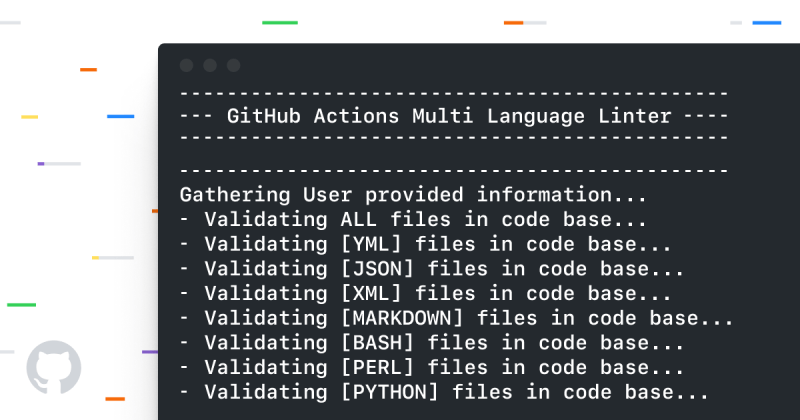
As development environments grow more complex, so too will the capabilities of what is a linter. One emerging trend is the integration of machine learning to predict potential bugs based on historical code patterns. Tools like DeepCode (now CodeScene) already use AI to analyze codebases for subtle issues, and future linters may incorporate similar technologies to provide context-aware suggestions.Another evolution is the rise of cross-language linting frameworks. While most linters are language-specific, tools like SonarQube offer multi-language analysis, combining static analysis with dynamic testing to provide a holistic view of code quality. Additionally, the growing emphasis on security will likely lead to linters that not only detect syntax errors but also simulate attack vectors to identify vulnerabilities proactively.
Conclusion
Understanding what is a linter is essential for any developer serious about writing maintainable, high-quality code. It’s not just a tool—it’s a partner in the development process, one that catches mistakes before they escalate and ensures consistency across a codebase. From its humble beginnings as a Unix utility to today’s sophisticated, configurable linters, its role has expanded to include security, performance, and even team workflow optimization.The key takeaway? A linter isn’t optional—it’s a necessity for scalable, efficient development. By integrating it early and customizing it to fit your project’s needs, you’re not just following best practices; you’re future-proofing your code.
Comprehensive FAQs
Q: What is a linter, and how does it differ from a compiler?
A linter is a static analysis tool that checks code for potential errors, style violations, and best-practice adherence without executing it. A compiler, on the other hand, translates source code into machine code and may only catch syntax errors during execution. While compilers focus on correctness, linters emphasize quality and consistency.
Q: Can a linter detect all types of bugs?
No. Linters are designed to catch syntax errors, style issues, and some logical flaws, but they cannot detect runtime errors (e.g., null reference exceptions) or race conditions. For those, dynamic testing (unit tests, integration tests) is required.
Q: How do I configure a linter for my project?
Configuration depends on the tool. For ESLint, you’d create an `.eslintrc` file (JSON, YAML, or JavaScript) to define rules. For Pylint, a `.pylintrc` file is used. Most linters allow you to extend or override default rules, and many provide plugins for additional functionality.
Q: Will a linter slow down my development process?
Initially, setting up a linter may add a small overhead, but in the long run, it saves time by catching issues early. Modern linters integrate seamlessly with IDEs, providing real-time feedback without disrupting workflow.
Q: Are there linters for non-coding files, like Markdown or YAML?
Yes. Tools like markdownlint enforce Markdown style rules, while yamllint checks YAML files for syntax and formatting issues. These ensure consistency in documentation and configuration files.
Q: How can I convince my team to adopt a linter?
Start by demonstrating its benefits—such as reduced bugs, faster reviews, and standardized code—through a pilot project. Highlight how it aligns with your team’s goals (e.g., faster releases, better maintainability) and offer to configure it to match existing workflows.
Leave a Comment
Comments are moderated before appearing. The data you submit is processed according to the Privacy Policy of Viralcontentbee.