The Definitive Guide to Finding the Best Terminal App for iOS in 2024
The iPhone isn’t just a phone anymore—it’s a pocket-sized supercomputer for developers, sysadmins, and power users who demand Unix-level functionality on the go. But finding the best terminal app for iOS that balances speed, reliability, and feature depth remains a moving target. Apple’s restrictions on native terminal access have historically forced users into workarounds, yet recent advancements in jailbreaking, sideloading, and Apple’s own gradual concessions have reshaped the landscape. What was once a niche pursuit is now a mainstream necessity, with apps evolving from clunky emulators to polished, high-performance tools that rival desktop terminals.
Yet not all terminal apps are created equal. Some prioritize raw speed, others focus on seamless integration with cloud services, and a select few offer full-blown Unix environments—complete with package managers, scripting support, and even GUI tooling. The best terminal app for iOS in 2024 isn’t just about typing commands; it’s about unlocking workflows that were once confined to MacBooks or Linux workstations. Whether you’re debugging remote servers, automating tasks with Bash, or compiling code on the fly, the right app can turn your iPhone into an extension of your development environment.
But here’s the catch: Apple’s App Store restrictions mean many of the most capable terminal solutions require sideloading or jailbreaking. That’s why understanding the trade-offs—security, compatibility, and ease of use—is critical. This guide cuts through the noise to deliver a complete, unbiased breakdown of the top contenders, their strengths, and how they stack up against one another. No fluff, just the essentials for users who refuse to compromise.
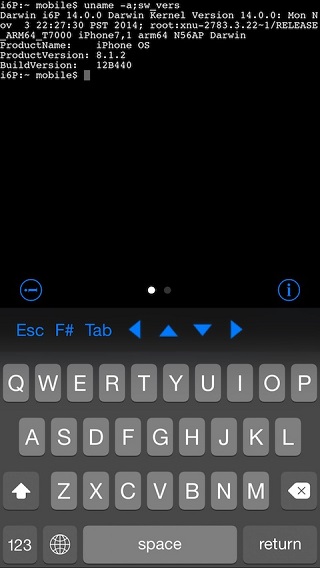
The Complete Overview of the Best Terminal App for iOS
The modern iOS terminal ecosystem is fragmented, but it’s also more dynamic than ever. Apple’s long-standing prohibition on native Unix shells forced developers to rely on third-party apps that either emulated terminals or leveraged remote connections. Today, the picture is far more nuanced: some apps now offer local shell access via jailbreaking or sideloading, while others focus on cloud-based or containerized environments. The result? A spectrum of options, each catering to different needs—from casual scripting to full-fledged system administration.
At the core of this evolution is the shift from "terminal emulators" to "full-fledged Unix environments." Apps like Termius and Blink Shell excel at remote connections, while iSH and Termux (via sideloading) provide local shells with surprising depth. Meanwhile, Apple’s own Utilities app in iPadOS 17 introduced a built-in terminal—though it’s limited to basic commands and lacks package management. The best terminal app for iOS in 2024 depends entirely on your workflow: Are you SSH-ing into servers, running local scripts, or needing a full Linux-like experience? The answer dictates which tool deserves your attention.
Historical Background and Evolution
The story of terminal apps on iOS begins in the early 2010s, when jailbreaking was the only way to run a proper shell. Tools like OpenSSH and MobileTerminal (a port of Linux’s screen and bash) were the gold standard, but they required unlocking the device’s bootloader—an act that voided warranties and introduced security risks. Apple’s 2011 ban on jailbreak tweaks via Cydia further stifled innovation, leaving users with clunky workarounds like VNC or web-based terminals.
Table of Contents
- The Complete Overview of the Best Terminal App for iOS
- Historical Background and Evolution
- Core Mechanisms: How It Works
- Key Benefits and Crucial Impact
- Major Advantages
- Comparative Analysis
- Future Trends and Innovations
- Conclusion
- Comprehensive FAQs
- Q: Can I use a terminal app on iOS without jailbreaking?
- Q: Is Termux safe to sideload on iOS?
- Q: Which terminal app supports the most Unix commands?
- Q: Can I use tmux or screen on iOS terminals?
- Q: Will Apple ever allow full terminal apps in the App Store?
- Q: How do I transfer files between my iOS terminal and Mac?
- Q: Are there any terminal apps optimized for iPad?
Fast-forward to 2020, and the landscape changed dramatically. Apple’s acquisition of Crossy (a Unix-like environment for iOS) laid the groundwork for iSH, a lightweight shell that runs in a sandboxed container. Simultaneously, Termux—a full Linux environment for Android—gained traction among iOS users via sideloading, despite Apple’s App Store rejection. Today, these tools coexist with cloud-based solutions like GitHub Codespaces and AWS Cloud9, which bypass local restrictions entirely. The best terminal app for iOS complete experience now hinges on whether you prioritize local execution or remote flexibility.
Core Mechanisms: How It Works
Under the hood, iOS terminal apps operate through one of three primary methods: remote connections, sandboxed environments, or jailbreak-based integration. Remote apps like Termius rely on SSH, SFTP, or RDP to interact with servers, avoiding Apple’s restrictions by offloading computation elsewhere. Sandboxed solutions such as iSH and Termux (when sideloaded) use Docker-like containers to run a minimal Linux filesystem, complete with bash, Python, and even git. Jailbroken terminals, meanwhile, tap into iOS’s underlying Unix core, granting access to system commands—but at the cost of stability and security.
The key differentiator is performance. Remote terminals suffer from latency, especially on mobile networks, while local shells benefit from direct hardware access. However, sandboxed environments introduce overhead due to emulation layers. The best terminal app for iOS for most users strikes a balance: fast enough for daily tasks but flexible enough to handle complex workflows. Apps that support tmux or screen further enhance usability by allowing persistent sessions across reboots or network changes.
Key Benefits and Crucial Impact
Adopting the right terminal app transforms iOS from a passive device into an active tool. For developers, it means debugging code on the go, automating deployments, or even compiling apps directly on an iPad. Sysadmins can manage servers, run diagnostics, or execute scripts without lugging a laptop. The impact extends beyond technical roles: journalists, researchers, and data analysts can process files, scrape websites, or analyze datasets using command-line tools. The best terminal app for iOS complete isn’t just a convenience—it’s a productivity multiplier.
Yet the benefits come with caveats. Security is a major concern, particularly with jailbroken or sideloaded apps, which expose users to malware risks. Privacy-conscious users must weigh the convenience of cloud-based terminals against the implications of sending commands to third-party servers. And then there’s the learning curve: mastering bash, zsh, or fish isn’t trivial, but the payoff—unparalleled control over your device and workflow—justifies the effort for many.
"The terminal isn’t just a tool; it’s a mindset. Once you embrace it on iOS, you’ll never go back to a mouse-driven workflow." — John Siracusa, Low End Mac
Major Advantages
- Portability: Run full development environments anywhere, eliminating the need for a secondary device.
- Automation: Script repetitive tasks (e.g., file renaming, API calls) with
bashorPython. - Remote Access: Manage servers, databases, or cloud instances via SSH without a desktop.
- Offline Capability: Local shells (e.g.,
Termux) work without internet, ideal for air-gapped workflows. - Integration: Pair with editors like
Vim,Neovim, orVS Codefor a seamless coding experience.

Comparative Analysis
| App | Key Features |
|---|---|
Termius |
SSH/SFTP/RDP, session management, Mosh support, cross-platform sync. |
Blink Shell |
Local shell (via sideloading), bash/zsh, package manager (opkg), tmux support. |
iSH |
Apple’s sandboxed shell, lightweight (bash, Python, git), no jailbreak needed. |
Termux |
Full Linux environment (Android port, sideload only), apt package manager, X11 support. |
Future Trends and Innovations
The next generation of iOS terminal apps will likely blur the line between local and cloud-based workflows. Apple’s recent investments in Swift on iOS and the rise of WebAssembly (WASM) could enable native-compiled terminal tools that run at near-native speed without emulation. Meanwhile, AI-assisted scripting—where tools like GitHub Copilot suggest or auto-complete commands—may become standard. For jailbroken users, deeper integration with iOS’s underlying Darwin layer could unlock even more powerful utilities, though Apple’s security hardening will remain a hurdle.
Cloud terminals will also evolve, with providers offering low-latency, GPU-accelerated sessions for tasks like machine learning or video editing. Expect to see tighter integration with Apple Silicon Macs, allowing seamless handoff between devices. The best terminal app for iOS complete in 2025 may well be a hybrid solution—combining local execution for privacy-sensitive tasks with cloud scalability for heavy lifting.

Conclusion
Choosing the best terminal app for iOS in 2024 isn’t about picking a single "best" option—it’s about matching your workflow to the right tool. Remote users will gravitate toward Termius or Blink Shell, while local power users may prefer Termux or iSH. Jailbreak enthusiasts have the most flexibility but must accept trade-offs in stability. As Apple continues to refine its Unix tools (e.g., the Utilities app), the gap between iOS and desktop terminals will narrow—but only for those willing to explore beyond the App Store.
The future of iOS terminals is bright, but it demands adaptability. Whether you’re a developer, sysadmin, or creative professional, the right app can turn your iPhone into a Swiss Army knife for the command line. Start with the options here, experiment, and build a workflow that works for you—because in the world of mobile computing, limitations are only temporary.
Comprehensive FAQs
Q: Can I use a terminal app on iOS without jailbreaking?
A: Yes. Apps like Termius (remote-only) and iSH (sandboxed) work without jailbreaking. For local shells, sideloading Termux or Blink Shell is required.
Q: Is Termux safe to sideload on iOS?
A: Sideloading Termux carries risks, including malware exposure if the IPA is from an untrusted source. Use official builds from termux.com and a reputable sideloading tool like AltStore or Sideloadly.
Q: Which terminal app supports the most Unix commands?
A: Termux offers the fullest Linux environment (via apt), while Blink Shell provides a balanced subset with bash and zsh. iSH is limited to basic utilities.
Q: Can I use tmux or screen on iOS terminals?
A: Yes. Termius and Blink Shell support tmux, while Termux includes it by default. iSH lacks persistent sessions but can run screen.
Q: Will Apple ever allow full terminal apps in the App Store?
A: Unlikely in the near term. Apple’s restrictions stem from security concerns, but incremental improvements (like the Utilities app) suggest a willingness to accommodate power users—just not at the expense of stability.
Q: How do I transfer files between my iOS terminal and Mac?
A: Use scp (via SSH), rsync, or cloud storage (e.g., Dropbox, iCloud Drive). For local transfers, Termux supports adb (Android) or third-party tools like FilePilot.
Q: Are there any terminal apps optimized for iPad?
A: Yes. Termius and Blink Shell offer iPad-specific layouts, while iSH works well on larger screens. For coding, pair with VS Code or Coda via SSH.
Leave a Comment
Comments are moderated before appearing. The data you submit is processed according to the Privacy Policy of Viralcontentbee.