Cybersecurity for Remote Workers- Freelancers, remote teams, and hybrid companies with unsecured home networks.
|
Demographics: 25–45 years, remote workforce, SMBs or startups.
Psychographics: Security-conscious but budget-constrained; prefers DI
Legal and Administrative Setup for a Home-Based IT Business
Establishing a home-based IT business requires adherence to legal and administrative frameworks to ensure compliance, protect personal assets, and maintain professional credibility. The process varies by jurisdiction, but core elements—such as business registration, tax obligations, and operational documentation—remain consistent. Below, structured guidance covers legal entity selection, licensing requirements, professional setup (email, domain, accounting), and foundational business planning, alongside common compliance pitfalls and mitigation strategies.
Business Structure Selection and Registration
The choice of business structure influences liability, taxation, and operational flexibility. Common options for home-based IT businesses include:- Sole Proprietorship: Simplest and least costly, with no legal separation between personal and business assets. Ideal for freelancers or startups with minimal risk. Taxes are reported on personal returns (Schedule C in the U.S.), but the owner remains personally liable for debts or lawsuits.
Limited Liability Company (LLC): Provides liability protection while offering tax flexibility (pass-through taxation by default). Suitable for businesses with higher risk exposure (e.g., consulting, software development) or plans to scale. Requires filing Articles of Organization with the state and paying formation fees (~$50–$500).
Corporation (C-Corp or S-Corp): Less common for home-based IT businesses due to higher compliance costs (e.g., annual meetings, separate tax filings). C-Corps face double taxation, while S-Corps offer pass-through taxation with income restrictions. Reserved for businesses seeking venture capital or significant growth.
Partnership (General or Limited): Applicable if collaborating with others. General partnerships share liability, while limited partnerships restrict liability for silent investors. Requires a Partnership Agreement to define roles and profit-sharing.Key Considerations:
Liability Protection: LLCs or corporations shield personal assets from business debts or lawsuits.
Tax Implications: Consult a tax professional to evaluate deductions (e.g., home office expenses, equipment depreciation) and self-employment taxes.
Scalability: LLCs or S-Corps may simplify future funding or hiring processes.Example: A freelance web developer in Texas might register as an LLC for liability protection, while a sole proprietor in California could opt for an LLC if handling client data under stricter privacy laws (e.g., CCPA compliance).
Licenses, Permits, and Tax Identification
Legal requirements differ by location, but most home-based IT businesses require at least a business license and tax identification number. Below is a tailored checklist for compliance:General Requirements (Applicable in Most Regions)
Business License: Issued by the city or county (e.g., Home Occupation Permit in some areas). Verify zoning laws—some jurisdictions restrict commercial activity in residential zones.
Sales Tax Permit: Mandatory if selling taxable services (e.g., software subscriptions, SaaS products) or physical goods. Register via state revenue departments (e.g., California CDTFA, Texas Comptroller).
Employer Identification Number (EIN): Free from the IRS (U.S.), required for hiring employees or opening a business bank account. Sole proprietors may use their SSN but risk identity theft.
Professional Licenses: Rare for IT, but some states require licenses for specific services (e.g., cybersecurity consulting in New York or IT support in Florida). Check with local professional boards.Region-Specific Considerations
United States:
State-Specific: Some states (e.g., Washington, Alabama) require a Sales Tax Permit even for service-based businesses.
Local Ordinances: Cities like San Francisco or Austin may impose additional permits for home-based businesses.
European Union:
VAT Registration: Mandatory if revenue exceeds €10,000/year (varies by country). Example: A UK-based IT consultant must register for VAT upon crossing the £85,000 threshold.
Data Protection: Compliance with GDPR (if handling EU client data) requires appointing a Data Protection Officer (DPO) for certain operations.
Asia-Pacific:
Singapore: Businesses must register with ACRA and obtain a Unique Entity Number (UEN).
India: Requires a PAN (Permanent Account Number) for tax purposes and GST registration if annual turnover exceeds ₹20 lakhs.Proactive Steps:
Consult Local Chambers of Commerce: They provide region-specific guidance and may offer discounted legal services.
Use Online Tools: Platforms like LegalZoom or IncFile automate license applications for a fee (~$100–$300).
Track Deadlines: Permits often expire annually; set calendar reminders for renewals.
Professional Setup: Email, Domain, and Accounting
A polished professional presence builds client trust and streamlines operations. Below are actionable steps to establish legitimacy:Business Email and Domain
Domain Registration: Purchase a domain name (e.g., yourbusinessname.com) via registrars like Namecheap or Google Domains (~$10–$15/year). Avoid generic email providers (e.g., Gmail) for client communications.
Email Hosting: Use professional services:
Google Workspace (~$6/user/month): Integrates with Gmail, Drive, and Calendar.
Zoho Mail (~$1/month): Budget-friendly with customizable email templates.
Microsoft 365 Business (~$4/user/month): Ideal for collaboration tools (Teams, Outlook).
Automation: Set up email filters (e.g., invoices@yourbusiness.com) and auto-responders for inquiries.Accounting System
Software Selection:
QuickBooks Online (~$30/month): Best for invoicing, expense tracking, and tax reporting.
Wave (Free): Suitable for freelancers with basic needs (invoicing, receipt scanning).
FreshBooks (~$15/month): Focuses on client billing and time tracking.
Bank Account: Open a business bank account to separate personal and professional finances. Required for LLCs/corporations and simplifies tax filings. Use Novel or Bluevine for low-fee options.
Record-Keeping:
Revenue Tracking: Log all income (contracts, retainers, subscriptions) with timestamps.
Expense Categorization: Classify costs (e.g., software subscriptions, hardware, internet fees) for tax deductions.
Receipt Management: Use apps like Expensify or Evernote to digitize receipts.Example Workflow:
1. Client signs a contract → Generate invoice in QuickBooks → Send via Google Workspace.
2. Record payment → Categorize as Service Revenue → Reconcile monthly with bank statements.
Drafting a Business Plan Outline for an IT Startup
A concise business plan (1–2 pages) clarifies scope, financials, and growth strategies. Below is a structured template with key components:
Sample 1-Page Business Plan Template1. Executive Summary
Business Name: [Your IT Business]
Location: [Home Address/City]
Mission Statement: [Brief value proposition, e.g., "Providing scalable IT solutions for small businesses in [Industry]."
Founder(s): [Names, brief backgrounds]2. Services and Scope
Core Offerings: List services (e.g., web development, cybersecurity audits, IT support).
Target Market: Define niche (e.g., e-commerce stores, nonprofits, remote teams).
Differentiators: Unique selling points (e.g., 24/7 support, open-source expertise).3. Pricing Model
Service-Based: Hourly rates ($50–$150/hr) or fixed-price projects ($1,000–$10,000).
Subscription: Monthly retainers (e.g., $300/month for managed IT services).
Product-Based: One-time sales (e.g., custom software licenses).
Example: A cybersecurity consultant charges $120/hr for audits and $500/month for monitoring.4. Financial Projections (First Year)
Revenue: Estimate monthly income (e.g., 3 clients × $2,000/project = $6,000/month).
Expenses:
Fixed: Domain ($120), Software ($300), Insurance ($200).
Variable: Marketing ($500), Travel ($100).
Profit Margin: Subtract expenses
A robust technical infrastructure is the backbone of any home-based IT business, directly influencing productivity, security, and client satisfaction. The choice of hardware, software, and network configurations must align with operational needs while balancing cost efficiency and scalability. This section explores essential setups categorized by budget tiers, network security best practices, project management workflows, and automation strategies to streamline operations. Whether managing client projects, developing software, or providing cybersecurity services, the right tools and infrastructure minimize downtime and enhance service delivery.
Essential Hardware and Software Setups by Budget Tier
The selection of hardware and software depends on the nature of the IT services offered, client demands, and budget constraints. Below are tiered recommendations for entry-level (budget-conscious) and premium (high-performance) setups, covering common IT business models such as freelance development, cybersecurity consulting, or IT support.Hardware Considerations
Hardware requirements vary significantly based on whether the work involves coding, system administration, or client-facing services. For example, a cybersecurity consultant may prioritize high-end processors for encryption tasks, while a web developer may focus on multi-monitor setups for efficient coding and testing.
| Component |
Entry-Level (Budget: $500–$1,500) |
Mid-Range (Budget: $1,500–$3,500) |
Premium (Budget: $3,500+) |
|---|
| Processor |
Intel Core i5 / AMD Ryzen 5 (e.g., i5-12400F, Ryzen 5 5600) |
Intel Core i7 / AMD Ryzen 7 (e.g., i7-12700K, Ryzen 7 5800X) |
Intel Core i9 / AMD Ryzen 9 / Threadripper (e.g., i9-13900K, Ryzen 9 7950X) |
| RAM |
16GB DDR4 (e.g., 2x8GB) |
32GB DDR4 (e.g., 2x16GB) |
64GB+ DDR4/DDR5 (e.g., 2x32GB or 4x16GB) |
| Storage |
512GB–1TB NVMe SSD (e.g., Samsung 870 EVO) |
1TB–2TB NVMe SSD + 2TB HDD (e.g., WD Black SN850X + WD Blue) |
4TB+ NVMe SSD (e.g., Samsung 990 Pro) + RAID 1/5 for backups |
| Monitor(s) |
Single 24"–27" 1080p (e.g., Dell S2721DGS) |
Dual 27" 1440p or single 32" ultrawide (e.g., LG 27UP850-W, Dell U3223QE) |
Triple 4K monitors or single 49" ultrawide (e.g., LG 49WL95C-W) |
| Peripherals |
Basic keyboard/mouse (e.g., Logitech K120, MX Master) |
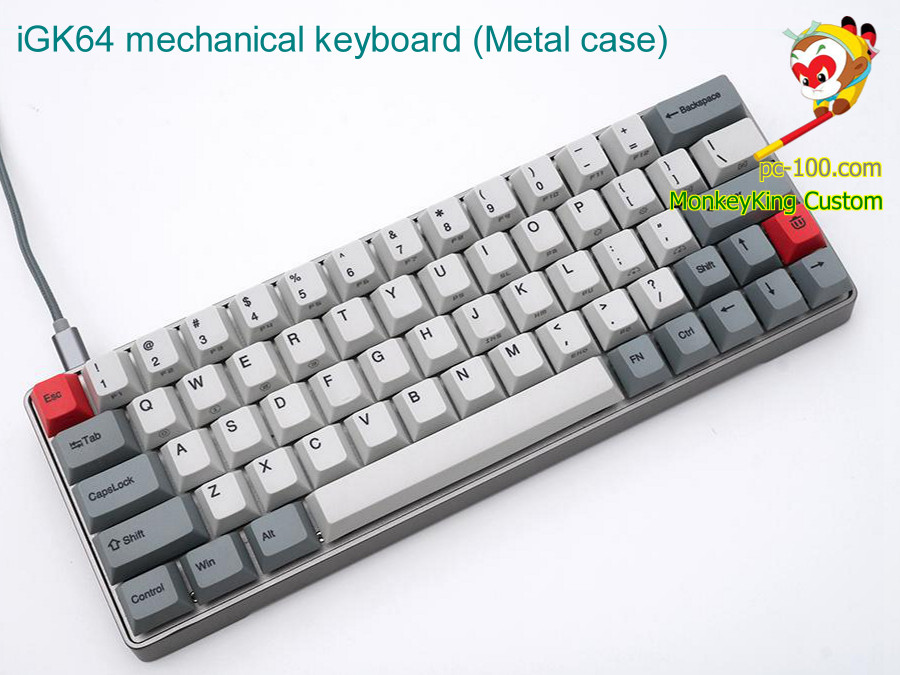
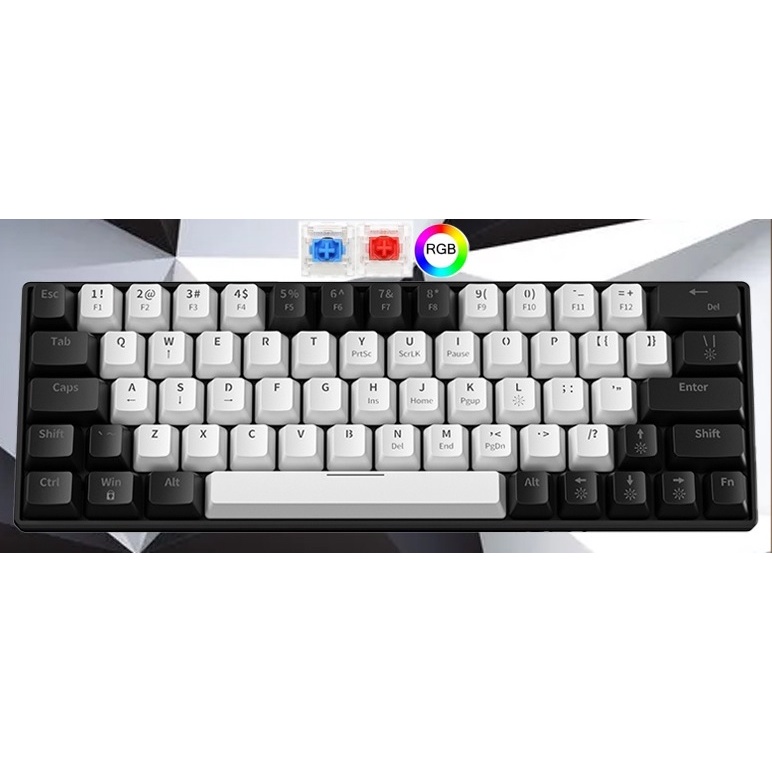
Mechanical keyboard + ergonomic mouse (e.g., Keychron K8, Logitech MX Vertical) |
Custom mechanical keyboard + wireless peripherals (e.g., Keychron Q3, Logitech MX Keys) |
| Networking |
Wi-Fi 6 router (e.g., TP-Link Archer AX21) |
Dual-band mesh Wi-Fi 6E + wired gigabit Ethernet (e.g., Asus RT-AX88U) |
Dedicated business-grade router + VPN endpoint (e.g., Ubiquiti UniFi Dream Machine Pro) |
Software choices should align with the primary service offerings. For instance, developers may require IDEs like VS Code or JetBrains suite, while IT consultants might need remote management tools like TeamViewer or AnyDesk.
| Category |
Entry-Level (Free/Low-Cost) |
Premium (Paid) |
|---|
| Operating System |
Windows 10/11 Pro (OEM), Linux (Ubuntu/Debian) |
Windows 11 Pro for Workstations, macOS (for Apple hardware) |
| Development Tools |
VS Code (Free), GitHub (Free), Python/Bash (Open-source) |
JetBrains IDEs (e.g., PyCharm Ultimate), Docker Pro, GitLab Ultimate |
| Collaboration |
Slack (Free), Zoom (Basic), Trello (Free) |
Slack Business+, Zoom Pro, Microsoft Teams (Business Plan) |
| Security Tools |
Wireshark (Free), OpenVPN (Free), Bitwarden (Free) |
Wireshark Enterprise, NordVPN Business, 1Password Teams |
| Remote Access |
TeamViewer Free, AnyDesk Free |
TeamViewer Business, Splashtop Business |
Entry-Level: Prioritizes affordability with trade-offs in performance and scalability. Suitable for solo freelancers or small projects.
Premium: Optimized for high workloads, multi-client management, and advanced security. Justified for agencies or specialized services like penetration testing.
Hybrid Approach: Mid-range setups often balance cost and performance by upgrading critical components (e.g., dual monitors, high-speed storage) while using free/low-cost software.
Securing a Home Network for Remote Work
A secure home network is critical to protect client data, prevent unauthorized access, and comply with industry regulations (e.g., GDPR, HIPAA). Below is a step-by-step guide to hardening a home-based IT infrastructure, focusing on firewalls, encryption, and multi-factor authentication (MFA).Step 1: Isolate Work and Personal Networks
Use a guest network or VLAN segmentation to separate work devices from personal ones. This limits lateral movement for potential attackers.
Best Practice: Enable MAC address filtering on the router for work devices to add an extra layer of physical access control.
Step 2: Configure Firewall Rules
Implement a hardware firewall (router-level) and software firewall (host-level) with the following rules:
Block incoming traffic by default (only allow outbound connections).
Restrict ports to essential services (e.g., RDP on port 3389, SSH on 22).
Use Unified Threat Management (UTM) features in routers like pfSense or OPNsense for advanced filtering.Step 3: Encrypt All Traffic
Wi-Fi Encryption: Use WPA3 (or WPA2 with AES) for wireless networks. Avoid WEP or outdated protocols.
VPN for Remote Access: Deploy a site-to-site VPN (e.g., OpenVPN, WireGuard) for client connections or a client VPN (e.g., NordVPN, Tailscale) for secure remote work.
End-to-End Encryption: Enforce encryption for emails (e.g., ProtonMail) and file transfers (e.g., Signal, AxCrypt).Step 4: Implement Multi-Factor Authentication (MFA)
Enable MFA for:
Router administration (e.g., via TOTP or hardware keys).
Cloud services (e.g
Service Offerings and Pricing Strategy for Home-Based IT Businesses
Scaling an IT business from a home-based setup requires strategic structuring of service offerings to balance profitability, client needs, and operational feasibility. Service bundling and tiered pricing models enable businesses to cater to diverse client budgets while maintaining consistent revenue streams. Pricing strategies must align with market demand, operational costs, and perceived value to ensure competitiveness and client retention. This section explores how to package services into scalable bundles, calculate fair pricing using multiple models, and implement upselling techniques to maximize revenue without compromising service quality.
Packaging IT Services into Scalable Bundles
Home-based IT businesses thrive on efficiency, so bundling services reduces overhead while increasing perceived value for clients. Bundles can be categorized by service type (e.g., web development, cybersecurity, IT support) or client segment (e.g., small businesses, startups, freelancers). Tiered pricing models—such as Basic, Standard, and Premium—allow clients to choose based on budget and needs, while also simplifying decision-making.Examples of Service Bundles:
Web Development Bundle:
Basic: Domain registration, basic HTML/CSS template, 5-page static site, and 1 round of revisions.
Standard: Custom WordPress site with 10 pages, SEO optimization, and 2 rounds of revisions.
Premium: Full-stack development (frontend + backend), e-commerce integration, and 3 rounds of revisions with performance testing.- Cybersecurity Audit Bundle:
Basic: Vulnerability scan, basic report, and 1-hour consultation.
Standard: Penetration testing, detailed report, and 2-hour consultation with remediation guidance.
Premium: Full security audit (including social engineering tests), 3-hour consultation, and 30-day monitoring post-delivery.- IT Support Bundle (Monthly Retainers):
Basic: 10 hours of support, email/ticket-based, and basic troubleshooting.
Standard: 20 hours, priority response (24-hour SLA), and remote access for diagnostics.
Premium: Unlimited support, on-site visits (if applicable), and proactive monitoring with alerts.Key Considerations for Bundling:
Modularity: Design bundles to allow add-ons (e.g., a client upgrading from Basic to Standard web development).
Client Pain Points: Address common challenges (e.g., "Most small businesses need SEO but can’t afford a full audit").
Resource Allocation: Ensure bundles align with available expertise (e.g., avoid offering AI/ML services if the team lacks specialization).
Automation: Use templates for proposals and contracts to streamline bundle delivery (e.g., automated invoicing for retainer clients).
Pricing Models for IT Services
Pricing strategies determine profitability and client acquisition. Three primary models—cost-based, value-based, and competitor-based—each offer distinct advantages and challenges. The choice depends on market positioning, service complexity, and client expectations.Comparison of Pricing Models
| Model |
Description |
Pros |
Cons |
Best For |
|---|
| Cost-Based |
Pricing calculated by adding a markup (e.g., 2x–3x) to direct costs (labor, tools, overhead). |
- Simple to calculate and justify to clients.
- Ensures minimum profitability.
- Reduces risk of undervaluing services.
|
- May not reflect market demand or client perceived value.
- Does not account for competitor pricing or client budget constraints.
- Can lead to price wars if competitors use aggressive markups.
|
- Freelancers or sole proprietors with transparent cost structures.
- Niche services with low market competition.
- Government or enterprise contracts with strict cost-plus bidding.
|
| Value-Based |
Pricing tied to the tangible or intangible benefits delivered to the client (e.g., increased revenue, reduced downtime, compliance). |
- Higher profitability if clients recognize value.
- Justifies premium pricing for specialized services.
- Aligns with client goals, improving satisfaction.
|
- Requires strong client communication to quantify benefits.
- Harder to implement for commoditized services (e.g., basic IT support).
- May face pushback from clients accustomed to hourly rates.
|
- Consulting or strategic services (e.g., digital transformation, cybersecurity overhauls).
- High-touch client relationships (e.g., long-term retainers).
- Services with measurable ROI (e.g., SEO, cloud migration).
|
| Competitor-Based |
Pricing set relative to direct competitors, often adjusted for perceived differentiation (e.g., better quality, faster delivery). |
- Reduces risk of pricing too high or too low.
- Simplifies client decision-making (familiar reference points).
- Useful for entering saturated markets.
|
- May lead to race-to-the-bottom pricing if competitors undercut.
- Ignores unique value propositions of the business.
- Requires constant market monitoring.
|
- Local or regional markets with established pricing norms.
- Services with clear market benchmarks (e.g., hourly rates for developers).
- Businesses entering competitive niches (e.g., SaaS development).
|
Many successful home-based IT businesses combine models. For example:
Use cost-based for baseline pricing of standard services (e.g., hourly rates for IT support).
Apply value-based for high-impact projects (e.g., "We’ll increase your website conversion rate by 30% for a fixed fee of $X").
Adjust with competitor-based analysis to ensure competitiveness in local markets.Formula for Cost-Based Pricing:
Pricing = (Direct Costs × Markup Factor) + Overhead Allocation
Where:
Direct Costs = Labor (e.g., $50/hour for a developer) + Tools (e.g., $20/month for SaaS licenses).
Markup Factor = Typically 2x–3x for freelancers, 1.5x–2x for agencies.
Overhead Allocation = 10–20% of direct costs (e.g., internet, software, marketing).
Service Contracts and Proposal Templates
Clear, legally sound contracts protect both the business and the client while setting expectations. Templates should include clauses for scope, revisions, payment terms, and liability. Below is a fillable template for an IT service proposal, followed by critical contract clauses.Fillable Proposal Template (Extract for Key Sections): [Client Name]
[Client Address]
[Date] Subject: Proposal for [Service Name] – [Bundle Tier] 1. Project Scope:
We will deliver [describe service, e.g., "a custom WordPress website with 10 pages, SEO optimization, and 2 rounds of revisions"] within [timeframe, e.g., "6 weeks"]. Exclusions include [list any out-of-scope items, e.g., "third-party plugin development beyond standard integrations"]. 2. Deliverables:
[Item 1, e.g., "Fully responsive website design"]
[Item 2, e.g., "Google Analytics setup"]
[Item 3, e.g., "Post-launch support for 30 days"]3. Pricing and Payment Terms:
Total Cost: $[X]
Payment Schedule:
30% deposit upon signing this proposal.
40% onStarting an IT business at home is not merely about technical expertise; it is about strategically aligning skills with market needs while mitigating risks through structured processes. By leveraging free validation tools, adopting scalable service bundles, and automating administrative tasks, entrepreneurs can achieve legitimacy without excessive overhead. The key lies in iterative refinement: refining niche selection based on real-time data, adjusting pricing models to reflect value, and continuously securing operations against cyber threats. With the right approach, a home-based IT venture can evolve into a resilient, high-demand enterprise—proving that innovation thrives even within the confines of a personal workspace.
FAQ
What are the key steps to legally launch and run an engineering consulting or design business from home?
Register your business (sole proprietorship or LLC), obtain necessary licenses (check local engineering board requirements), set up a home office with basic tools/software (e.g., AutoCAD, CAD software), and ensure liability insurance. Market your services via a professional website, LinkedIn, or local networking. Compliance with zoning laws and tax obligations (like self-employment tax) is critical.
How can I begin a home-based alteration business for clothes, curtains, or upholstery?
Start by investing in essential tools (sewing machine, fabric scissors, measuring tape, iron) and materials (thread, needles, fabric). Register as a sole proprietorship or LLC, check local home business regulations, and obtain any required permits. Build a portfolio (offer free samples or discounts for testimonials) and promote via social media, Etsy, or local ads.
What’s the simplest way to start an online business from home with minimal upfront costs?
Choose a low-cost model like print-on-demand (via Printify or Redbubble), freelance services (e.g., writing, graphic design on Fiverr/Upwork), or digital products (e.g., e-books, templates on Gumroad). Set up a free website (using Shopify, Wix, or WordPress) and drive traffic via social media or SEO. Focus on a niche to stand out.
How do I turn my artistic skills into a profitable home-based business?
Define your product (e.g., paintings, digital art, crafts) and price competitively. Sell through platforms like Etsy, Society6, or your own website (use PayPal or Square for payments). Build an audience via Instagram/Pinterest and offer commissions or workshops. Track expenses (supplies, shipping) and register as a business for tax purposes.
What supplies and legal steps do I need to start an embroidery business at home?
Buy basic supplies (hoop frames, needles, embroidery thread, fabric, scissors) and consider a machine if scaling up. Register your business (sole proprietorship or LLC) and check local cottage laws or home business permits. Market your work via Instagram, Etsy, or local craft fairs, and price projects based on time/materials.
Consider low-overhead options like virtual assisting, handmade goods (jewelry, candles), tutoring (online or in-person), or social media management. Start with a side hustle (e.g., selling on Poshmark, offering childcare, or freelance writing) before committing to full-time. Research tax deductions (home office, supplies) and local regulations for home-based businesses.
|
Leave a Comment
Comments are moderated before appearing. The data you submit is processed according to the Privacy Policy of viralcontentbee.com.