How Oracle SQL Developer Transforms Database Management for Modern Teams
Oracle SQL Developer has quietly become the de facto standard for professionals working with Oracle databases. Unlike generic database clients, it merges SQL editing, debugging, and schema management into a single, optimized interface—tailored specifically for Oracle’s ecosystem. Its ability to handle complex queries, automate DDL generation, and integrate with version control systems makes it indispensable for developers, DBAs, and data architects.
What sets Oracle SQL Developer apart is its seamless blend of functionality and performance. While competitors focus on broad compatibility, this tool prioritizes Oracle-specific optimizations, from advanced SQL formatting to real-time execution plans. The tool’s evolution reflects Oracle’s commitment to developer productivity, reducing the friction between writing, testing, and deploying database logic.
The shift toward cloud-native and hybrid architectures hasn’t diminished its relevance. In fact, Oracle SQL Developer has adapted by adding support for Autonomous Database, containerized deployments, and RESTful services—proving its staying power in an era of rapid technological change.
The Complete Overview of Oracle SQL Developer
Oracle SQL Developer is more than a SQL editor; it’s a full-fledged development environment designed to streamline database operations. From writing PL/SQL procedures to analyzing execution plans, the tool consolidates workflows that would otherwise require multiple applications. Its intuitive interface minimizes context switching, allowing teams to focus on logic rather than tooling overhead.The platform’s strength lies in its deep integration with Oracle Database. Features like SQL worksheet history, connection pooling, and schema comparison tools are engineered to work efficiently with Oracle’s data structures. This specialization ensures that developers can leverage Oracle-specific optimizations—such as partitioning strategies or advanced indexing—without sacrificing usability.
Historical Background and Evolution
Oracle SQL Developer emerged in 2006 as a lightweight alternative to Oracle’s older tools, such as SQL*Plus and TOAD. Initially, it was positioned as a free, Java-based client for Oracle Database 10g, offering basic query execution and schema browsing. Early adopters praised its simplicity, but the tool’s true potential became evident with the release of SQL Developer 2.0 in 2010, which introduced PL/SQL debugging and code completion.The turning point came with Oracle SQL Developer 3.0 (2011), which added support for Oracle Database 11g’s advanced features, including heat maps for execution plans and integrated SQL tuning advice. Subsequent versions incorporated REST data services, version control integration (via Git), and enhanced reporting capabilities. Today, Oracle SQL Developer is a mature platform, with version 23c introducing AI-assisted SQL generation and improved cloud compatibility.
Core Mechanisms: How It Works
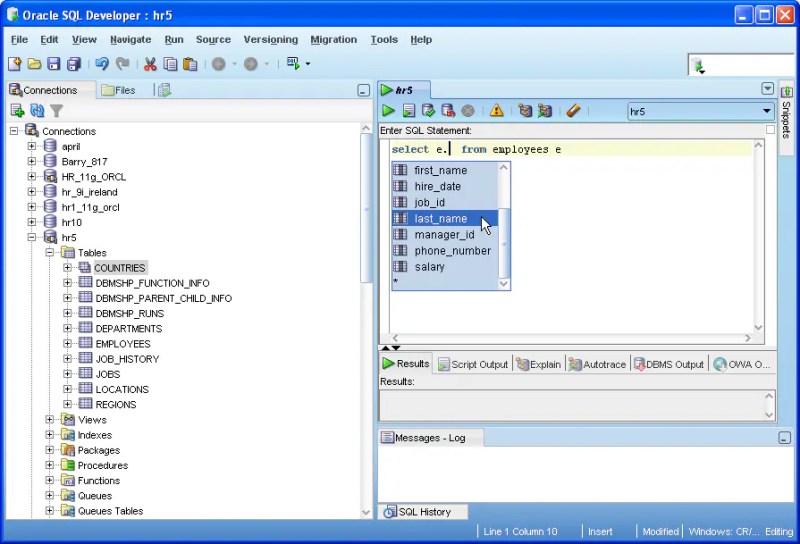
At its core, Oracle SQL Developer operates as a client-server application, connecting to Oracle Database via JDBC or Oracle Net. The tool’s architecture is modular, with distinct components handling SQL editing, PL/SQL development, and database administration tasks. For example, the SQL Worksheet tab provides syntax highlighting, autocompletion, and real-time query feedback, while the PL/SQL Debugger allows step-through execution with variable inspection.Table of Contents
- The Complete Overview of Oracle SQL Developer
- Historical Background and Evolution
- Core Mechanisms: How It Works
- Key Benefits and Crucial Impact
- Major Advantages
- Comparative Analysis
- Future Trends and Innovations
- Conclusion
- Comprehensive FAQs
- Q: Is Oracle SQL Developer free to use?
- Q: Can Oracle SQL Developer connect to non-Oracle databases?
- Q: How does Oracle SQL Developer handle large datasets?
- Q: What are the system requirements for Oracle SQL Developer?
- Q: Does Oracle SQL Developer support team collaboration?
- Q: How often is Oracle SQL Developer updated?
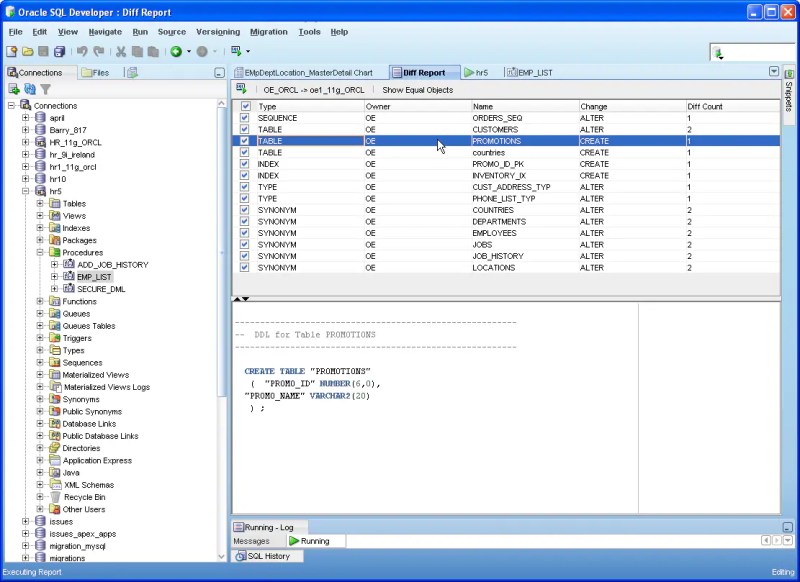
Under the hood, Oracle SQL Developer leverages Oracle’s XDB (XML Database) and SQL*Plus APIs to interact with the database. This integration enables features like dynamic SQL execution, schema diff tools, and even the ability to generate DDL from existing objects. The tool also supports multi-database connections, allowing developers to compare schemas or migrate data between Oracle and non-Oracle systems—though with reduced functionality for non-Oracle targets.
Key Benefits and Crucial Impact
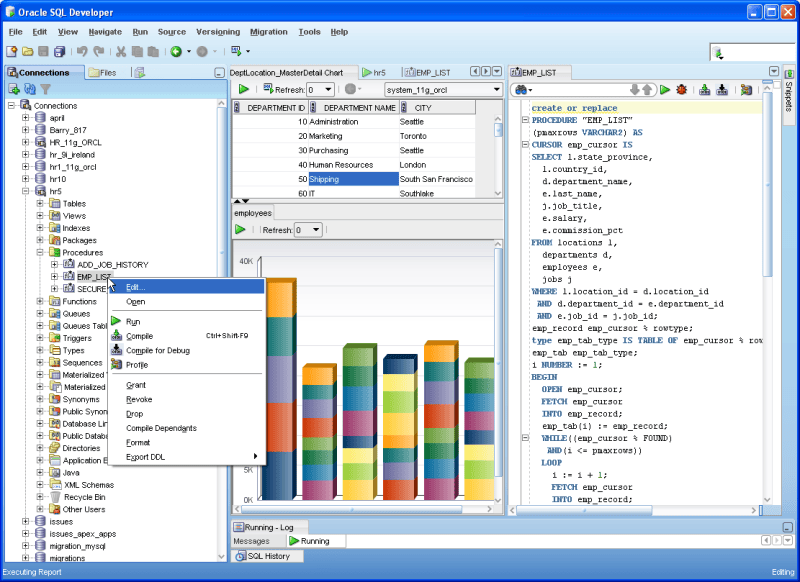
Oracle SQL Developer bridges the gap between raw database functionality and developer productivity. By consolidating SQL editing, debugging, and reporting into a single interface, it eliminates the need for disparate tools, reducing setup time and potential errors. This consolidation is particularly valuable in agile environments, where rapid iteration is critical.The tool’s impact extends beyond individual developers. Teams using Oracle SQL Developer benefit from standardized workflows, shared connection configurations, and collaborative features like schema versioning. For organizations with mixed Oracle and third-party databases, its ability to generate cross-platform DDL ensures smoother migrations and integrations.
"Oracle SQL Developer isn’t just a tool—it’s a force multiplier for database professionals. The time saved on manual tasks translates directly to innovation." — Oracle ACE Director, 2023
Major Advantages
- Oracle-Specific Optimizations: Features like SQL plan management and partitioning analysis are tailored for Oracle Database, providing insights that generic tools miss.
- PL/SQL Development Suite: Integrated debugger, code templates, and unit testing frameworks accelerate procedural logic development.
- Version Control Integration: Native Git support allows teams to track schema changes alongside application code, ensuring consistency.
- Cross-Platform Compatibility: Runs on Windows, macOS, and Linux, with optional cloud deployment via Oracle Autonomous Database.
- Performance Analytics: Real-time execution plans, SQL tuning advice, and heat maps help optimize queries without leaving the IDE.
Comparative Analysis
While Oracle SQL Developer is the gold standard for Oracle environments, other tools cater to specific needs. Below is a side-by-side comparison of key features:| Feature | Oracle SQL Developer | Alternative Tools |
|---|---|---|
| Primary Use Case | Oracle Database development, PL/SQL, SQL tuning | Generic SQL clients (e.g., DBeaver), Oracle-specific (e.g., TOAD) |
| PL/SQL Debugging | Built-in, with breakpoints and variable inspection | Limited or requires plugins (e.g., TOAD has advanced features) |
| Cloud Integration | Native support for Oracle Autonomous Database and REST services | Requires third-party connectors (e.g., AWS RDS plugins) |
| Learning Curve | Moderate (Oracle-specific features may require familiarity) | Varies (generic tools are easier for beginners; TOAD has a steeper curve) |
Future Trends and Innovations
The next generation of Oracle SQL Developer will likely emphasize AI-driven development. Features such as auto-generated SQL from natural language prompts (e.g., "Create a report for monthly sales by region") could further reduce manual coding. Additionally, as Oracle’s Autonomous Database matures, SQL Developer will deepen its integration with machine learning-based query optimization, allowing developers to offload tuning decisions to the system.Another trend is the convergence of database and application development. Oracle SQL Developer may evolve to support low-code/no-code workflows, enabling business analysts to interact with databases without deep technical expertise. The tool’s future will also hinge on its ability to adapt to multi-cloud and hybrid environments, ensuring seamless operations across Oracle’s and third-party cloud platforms.
Conclusion
Oracle SQL Developer remains the most efficient tool for professionals working with Oracle databases, offering a balance of depth and usability. Its evolution reflects Oracle’s commitment to developer experience, from early versions focused on basic queries to today’s AI-assisted, cloud-ready platform. For teams invested in Oracle’s ecosystem, the tool is not just a utility—it’s a strategic asset that accelerates development cycles and reduces operational friction.As database technologies evolve, Oracle SQL Developer’s ability to adapt will determine its longevity. By staying ahead of trends like AI integration and cloud-native development, it ensures that Oracle professionals can continue to innovate without being constrained by their tools.
Comprehensive FAQs
Q: Is Oracle SQL Developer free to use?
A: Yes, Oracle SQL Developer is free and available under the Oracle Technology Network (OTN) license. It includes all core features without requiring additional Oracle Database licenses, though some advanced cloud integrations may have usage limits.
Q: Can Oracle SQL Developer connect to non-Oracle databases?
A: While primarily designed for Oracle Database, Oracle SQL Developer supports limited connectivity to other databases (e.g., MySQL, PostgreSQL) via JDBC. However, Oracle-specific features—such as PL/SQL debugging—are not available for non-Oracle targets.
Q: How does Oracle SQL Developer handle large datasets?
A: The tool includes features like query result pagination, data export to CSV/Excel, and server-side processing to manage large result sets. For extremely large tables, developers can use SQL Developer’s "Fetch Size" settings or leverage Oracle Database’s partitioning features.
Q: What are the system requirements for Oracle SQL Developer?
A: Oracle SQL Developer runs on Windows (64-bit), macOS (Intel/ARM), and Linux (64-bit). Minimum requirements include Java 8 or later and at least 2GB of RAM (4GB recommended for complex workloads). Cloud deployments may have additional constraints.
Q: Does Oracle SQL Developer support team collaboration?
A: Yes, through native Git integration, teams can version-control schema changes, SQL scripts, and PL/SQL packages. Oracle SQL Developer also supports connection sharing and role-based access controls for collaborative environments.
Q: How often is Oracle SQL Developer updated?
A: Oracle releases major updates annually (e.g., SQL Developer 23c in 2023), with minor updates and bug fixes more frequently. The tool follows Oracle’s release cycle, ensuring compatibility with the latest database features.
Leave a Comment
Comments are moderated before appearing. The data you submit is processed according to the Privacy Policy of Viralcontentbee.