How to Comment in CSS: The Hidden Art of Cleaner, More Maintainable Code
CSS comments are the unsung heroes of maintainable code. They transform a wall of declarations into a structured, readable narrative—one that speaks directly to developers, designers, and future you. Without them, even the most elegant stylesheet becomes a cryptic puzzle, where the why behind a `margin: 2rem` or a `transition: all 0.3s ease` is lost to time. The act of how to comment in CSS isn’t just about leaving notes; it’s about preserving intent, debugging efficiency, and fostering collaboration in ways syntax alone cannot.
Yet, many treat comments as an afterthought—tacked on haphazardly or ignored entirely. The truth is, CSS comments are a discipline. They demand precision in placement, clarity in purpose, and an understanding of when silence (no comment) is louder than text. A poorly placed `/ TODO: Fix on mobile /` can become technical debt, while a well-structured block of documentation can save hours during refactoring. The difference lies in knowing how to comment in CSS effectively—not just mechanically, but strategically.
The stakes are higher than most realize. In a codebase where styles cascade unpredictably, a comment can be the lifeline that explains a hacky workaround or the rationale behind a design compromise. It’s the difference between a one-off fix and a scalable system. But before diving into techniques, it’s worth understanding the why—how CSS comments evolved from a simple annotation tool to an indispensable part of modern development workflows.

The Complete Overview of How to Comment in CSS
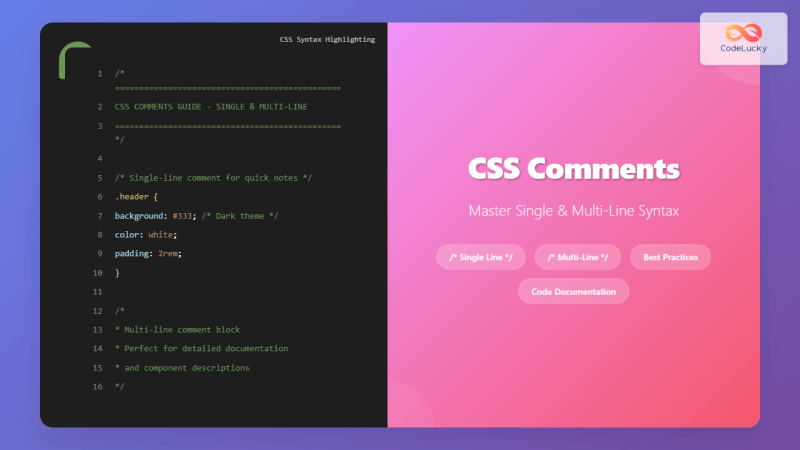
CSS comments serve as the bridge between raw code and human understanding. They are the only part of the language explicitly designed for communication, not execution. While browsers ignore them entirely, their impact on team productivity and code longevity is immeasurable. The syntax itself is deceptively simple: `/ comment text /`. Yet, the art lies in when and how to wield this tool. A comment in CSS isn’t just a line of text—it’s a decision point, a marker of intent, or a warning sign for future developers (including yourself). The key is balance: too few comments leave code opaque, while too many can clutter readability. The goal is clarity without noise.The real challenge emerges in larger projects, where stylesheets grow into sprawling documents with overlapping concerns. Here, how to comment in CSS becomes less about individual lines and more about architectural documentation. Comments can segment logical blocks (e.g., `/ === Components === /`), highlight edge cases (`/ Note: IE11 requires vendor prefixes /`), or even serve as temporary placeholders (`/ DEPRECATED: Use $theme-primary instead /`). The syntax remains the same, but the purpose shifts from annotation to navigation. Mastering this requires recognizing that comments are not static—they evolve alongside the code, reflecting changes in requirements or technical constraints.
Historical Background and Evolution
CSS comments were introduced in the early days of the language to address a fundamental problem: how to exclude experimental or browser-specific code without breaking the stylesheet. The first specification (CSS1, 1996) included them as a way to "comment out" rules during development or to disable legacy styles. Initially, their use was sporadic, often limited to hiding proprietary extensions or workarounds for quirks in early browsers. The syntax `/ ... /` was borrowed directly from C-style languages, ensuring familiarity for developers transitioning from backend work.As CSS matured, so did the sophistication of comments. The rise of preprocessors like Sass and Less in the 2010s introduced nested comments and advanced features (e.g., `@include` directives), but standard CSS comments remained the bedrock of documentation. Frameworks like Bootstrap and Tailwind began embedding detailed comment blocks to explain utility classes or responsive behavior, proving that how to comment in CSS could scale beyond individual projects. Today, comments are a cornerstone of CSS-in-JS libraries and component-based architectures, where style isolation and maintainability are critical. The evolution reflects a broader shift: from treating comments as an optional luxury to recognizing them as a necessity for collaborative coding.
Core Mechanisms: How It Works
At its core, a CSS comment is a text segment enclosed between `/` and `/` that the browser ignores during rendering. The mechanism is straightforward: the parser skips everything between these delimiters, including newline characters, until it encounters the closing `*/`. This allows developers to:Table of Contents
- The Complete Overview of How to Comment in CSS
- Historical Background and Evolution
- Core Mechanisms: How It Works
- Key Benefits and Crucial Impact
- Major Advantages
- Comparative Analysis
- Future Trends and Innovations
- Conclusion
- Comprehensive FAQs
- Q: Can CSS comments be nested?
- Q: Are there performance implications for CSS comments?
- Q: How should I document complex selectors?
- Q: What’s the difference between `/ /` and `//` in CSS?
- Q: Should I comment out deprecated code?
- Q: How do I handle comments in CSS-in-JS?
- Q: Can comments break a stylesheet?
- Q: Are there tools to enforce comment best practices?
- Q: How do I comment in CSS Grid/Flexbox layouts?
- Q: Should I comment every CSS rule?
The simplicity belies the power. For example, `/ Fallback for older browsers / @supports (display: grid) { ... }` ensures backward compatibility while documenting the rationale. The parser’s behavior is deterministic—no partial comments are allowed (e.g., `/` without a closing `/` will break the stylesheet), and nested comments are not supported (though preprocessors may simulate this). Understanding these constraints is crucial when how to comment in CSS intersects with debugging or version control, where a misplaced delimiter can cascade into errors.
Beyond syntax, the real mechanism lies in human interpretation. A comment’s effectiveness hinges on its placement: inline comments (`p { color: red; / Primary CTA color / }`) clarify intent, while block comments (`/ ===== Header Styles ===== /`) define scope. The challenge is to align these with the project’s scale—what works for a single-component style module may not suffice for a monolithic theme system. The mechanism, therefore, is as much about psychology (anticipating future readers) as it is about syntax.
Key Benefits and Crucial Impact
The value of CSS comments becomes apparent in teams or long-term projects where context is easily lost. Without them, a stylesheet is a series of disconnected declarations, its purpose obscured by time. Comments act as a Rosetta Stone, translating technical decisions into understandable language. They reduce onboarding time for new developers, minimize debugging cycles, and preserve the "why" behind design choices—critical when business requirements or design systems evolve. The impact is quantifiable: studies show that well-documented code reduces maintenance costs by up to 30% by clarifying intent and reducing ambiguity.Yet, the benefits extend beyond practicality. Comments foster a culture of accountability. When a developer leaves a note like `/ TODO: Replace with CSS variables /`, it creates a shared responsibility to address technical debt. They also serve as a safety net during refactoring, where the original logic might be unclear. The crux is that how to comment in CSS isn’t just a technical skill—it’s a social one, bridging the gap between code and collaboration.
> "Code is read much more than it is written." — Guido van Rossum
> This axiom underscores the importance of comments. While writing code is a solitary act, reading and maintaining it is inherently collaborative. Every comment is a handshake between past and future developers, a silent agreement to uphold clarity over obscurity.
Major Advantages
- Context Preservation: Explains the why behind non-obvious decisions (e.g., `/ Hardcoded 1.5rem to match legacy PDF assets /`).
- Debugging Aid: Marks sections with known issues or workarounds (e.g., `/ Firefox bug: transform-origin resets on hover /`).
- Collaboration Tool: Aligns teams on design systems or component conventions (e.g., `/ Use $spacing-md for consistent gutters /`).
- Version Control Friendliness: Helps track changes in git diffs by labeling intent (e.g., `/ DEPRECATED: Migrate to BEM /`).
- Performance Insight: Flags optimization notes (e.g., `/ Will repaint: consider contain: strict /`).
Comparative Analysis
| Inline Comments | Block Comments |
|---|---|
|
|
| Preprocessor Comments (Sass/Less) | CSS-in-JS Comments |
|
|
Future Trends and Innovations
The future of CSS comments lies in integration with modern tooling and AI-assisted documentation. Tools like Stylelint now enforce comment best practices (e.g., requiring descriptions for `@media` queries), while VS Code extensions auto-generate comments from JSDoc-style annotations. AI promises to take this further, with models analyzing code patterns to suggest relevant comments or even auto-documenting changes. However, the human element remains irreplaceable—AI can’t capture the nuance of a designer’s intent or a developer’s workaround.Another trend is the rise of "living documentation," where comments are dynamically linked to design systems or API references. Frameworks like Storybook embed CSS comments directly into component stories, creating a feedback loop between code and visual design. As CSS modules and scoped styles grow in adoption, comments will need to adapt to modular architectures, where context is scattered across multiple files. The challenge will be balancing automation with the need for human oversight—ensuring that how to comment in CSS evolves without losing its core purpose: clarity.

Conclusion
CSS comments are more than syntactic sugar; they are the scaffolding of maintainable code. Their power lies in their simplicity—any developer can add a note, but their value is realized when those notes become a shared language. The key to mastering how to comment in CSS is recognizing that it’s not about filling every line with text but about strategic placement: where ambiguity exists, where intent matters, and where future developers will need guidance. Ignore comments at your peril, but misuse them, and you’ll drown in noise.The best comments are invisible in the best way—they’re the ones you don’t notice until you need them. They’re the silent partner in your codebase, ensuring that when you return to a project months later (or when a new hire joins), the stylesheet doesn’t feel like a foreign land. In an era where codebases grow exponentially, the art of commenting is the difference between a maintainable system and a technical black hole.
Comprehensive FAQs
Q: Can CSS comments be nested?
A: No. CSS does not support nested comments (e.g., `/ / nested / /`). The parser treats the inner `/*` as plain text, leading to invalid syntax. Preprocessors like Sass simulate nesting, but vanilla CSS requires flat structure.
Q: Are there performance implications for CSS comments?
A: Minimal. Browsers ignore comments entirely during parsing, so they don’t affect render performance. However, excessive comments in production builds (before minification) can slightly increase file size—though this is rarely a concern.
Q: How should I document complex selectors?
A: Use block comments above the selector to explain its purpose. For example:
```css
/ Targets all buttons except those in the modal to avoid overlap /
button:not(.modal button) {
padding: 0.75rem;
}
```
Avoid inline comments for complex logic—they’re harder to read.
Q: What’s the difference between `/ /` and `//` in CSS?
A: CSS only recognizes `/ /` as comments. The `//` syntax (single-line comments) is a JavaScript/CSS-in-JS convention but is invalid in standalone CSS. Tools like Sass support `//`, but for pure CSS, stick to `/ /`.
Q: Should I comment out deprecated code?
A: Yes, but with a clear label. Instead of:
```css
/ old-code { ... } /
```
Use:
```css
/ DEPRECATED: Use .new-class instead /
.old-code { ... }
```
This signals intent for future cleanup.
Q: How do I handle comments in CSS-in-JS?
A: In CSS-in-JS (e.g., styled-components), comments are embedded in JavaScript strings. For example:
```jsx
const styles = {
/ eslint-disable-next-line /
container: {
/ Custom property for theme overrides /
'--primary-color': props => props.theme.colors.primary,
}
};
```
Use sparingly—CSS-in-JS files often rely on JS comments (`//`) for clarity.
Q: Can comments break a stylesheet?
A: Yes. Unclosed comments (`/`) or comments containing `/` as plain text will cause parsing errors. Always validate with tools like the W3C CSS Validator or browser dev tools.
Q: Are there tools to enforce comment best practices?
A: Yes. Stylelint plugins like stylelint-comment-no-empty or stylelint-comment-whitespace enforce consistency. For example:
```json
{
"rules": {
"comment-no-empty": true,
"comment-whitespace-inside": "always"
}
}
```
These prevent common pitfalls like empty comments or inconsistent spacing.
Q: How do I comment in CSS Grid/Flexbox layouts?
A: Document the layout structure and key decisions. For example:
```css
/ Grid layout: 3 columns on desktop, 1 on mobile /
.container {
display: grid;
grid-template-columns: repeat(3, 1fr);
gap: 1rem;
}
/ Flex fallback for older browsers /
@supports not (display: grid) {
.container { display: flex; flex-wrap: wrap; }
}
```
This clarifies both the primary and fallback approaches.
Q: Should I comment every CSS rule?
A: No. Over-commenting reduces readability. Reserve comments for:
- Non-obvious logic (e.g., `/ Negative margin hack for alignment /`).
- Temporary fixes or TODOs.
- Section headers in large files.
Leave a Comment
Comments are moderated before appearing. The data you submit is processed according to the Privacy Policy of Viralcontentbee.